Power and Energy Manager
Power and Energy Manager is a suite of apps designed to help with tasks such as tracking energy usage or cost, load shedding, or auto-off automations
Power and Energy Manager
Power and Energy Manager is an app offering the creation of several different kinds of tools or automations related to power and energy, including:
- Load Shedding: Turn devices off when power exceeds threshold and optionally turn back on after time below
- Maximum Usage: Turn devices off when power consumption, energy usage, or time on exceeds threshold
- Power Aggregator: Combine power readings from multiple devices into one, e.g., for display on dashboard or easier use in automations
- Power and Energy Tracker: chart (or view as table) energy usage or cost over time
Installation
-
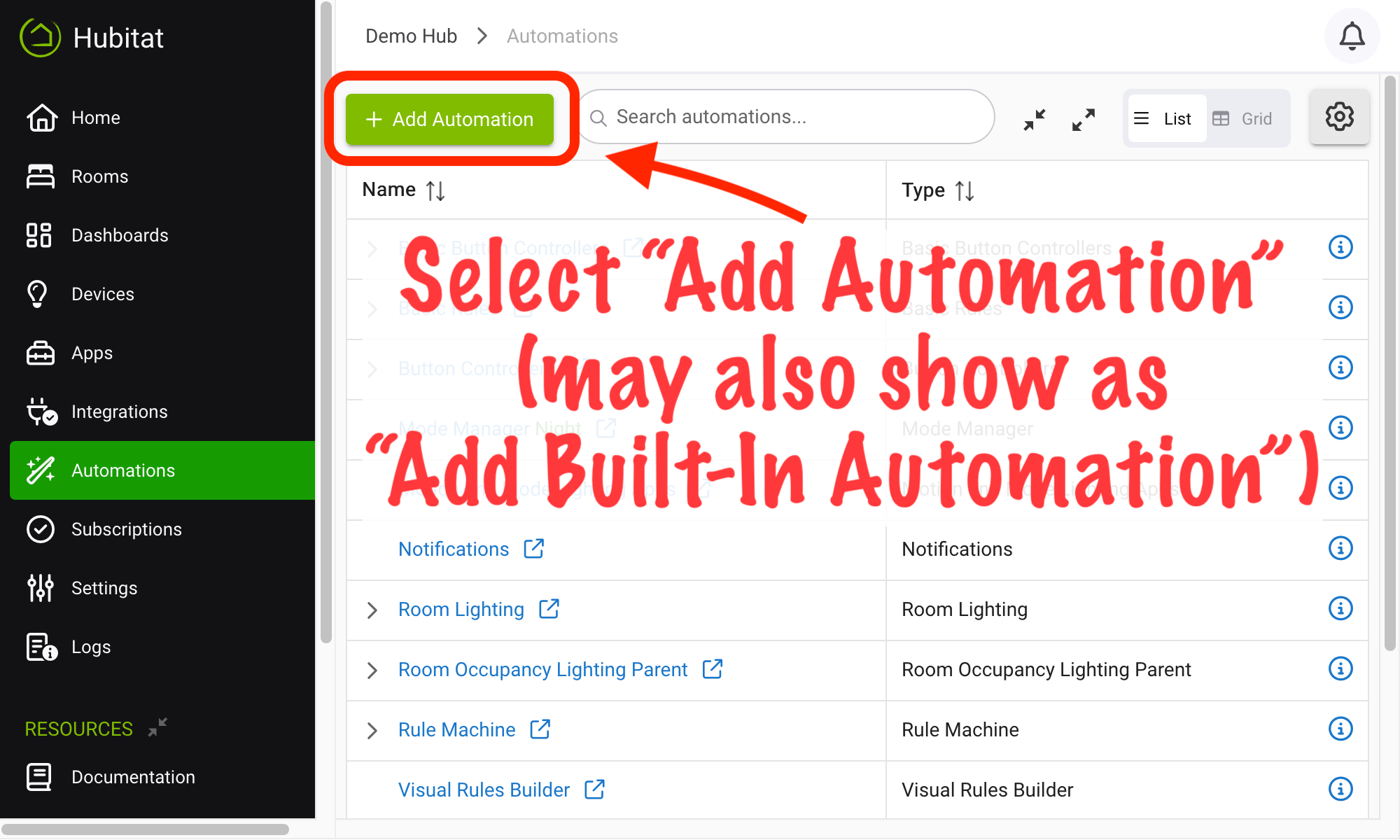
From the sidebar of your hub, navigate to Automations and select Add Automation or Add Built-In Automation:
-
Choose Power and Energy Manager from the list of built-in automation apps.
(If already installed, simply navigate to Automations, then expand the list to view existing child apps if needed. To create a new child app — any of the types mentioned above — open the parent app and select the desired type.)