RTSP Camera Integration
The RTSP Camera Integration allows integrating RTSP and ONVIF camera streams from your local network
The built-in RTSP Camera Integration app allows integrating compatible RTSP or ONVIF cameras to your hub. This integration requires hub model C-8 Pro or newer.
Installing RTSP Camera Integration
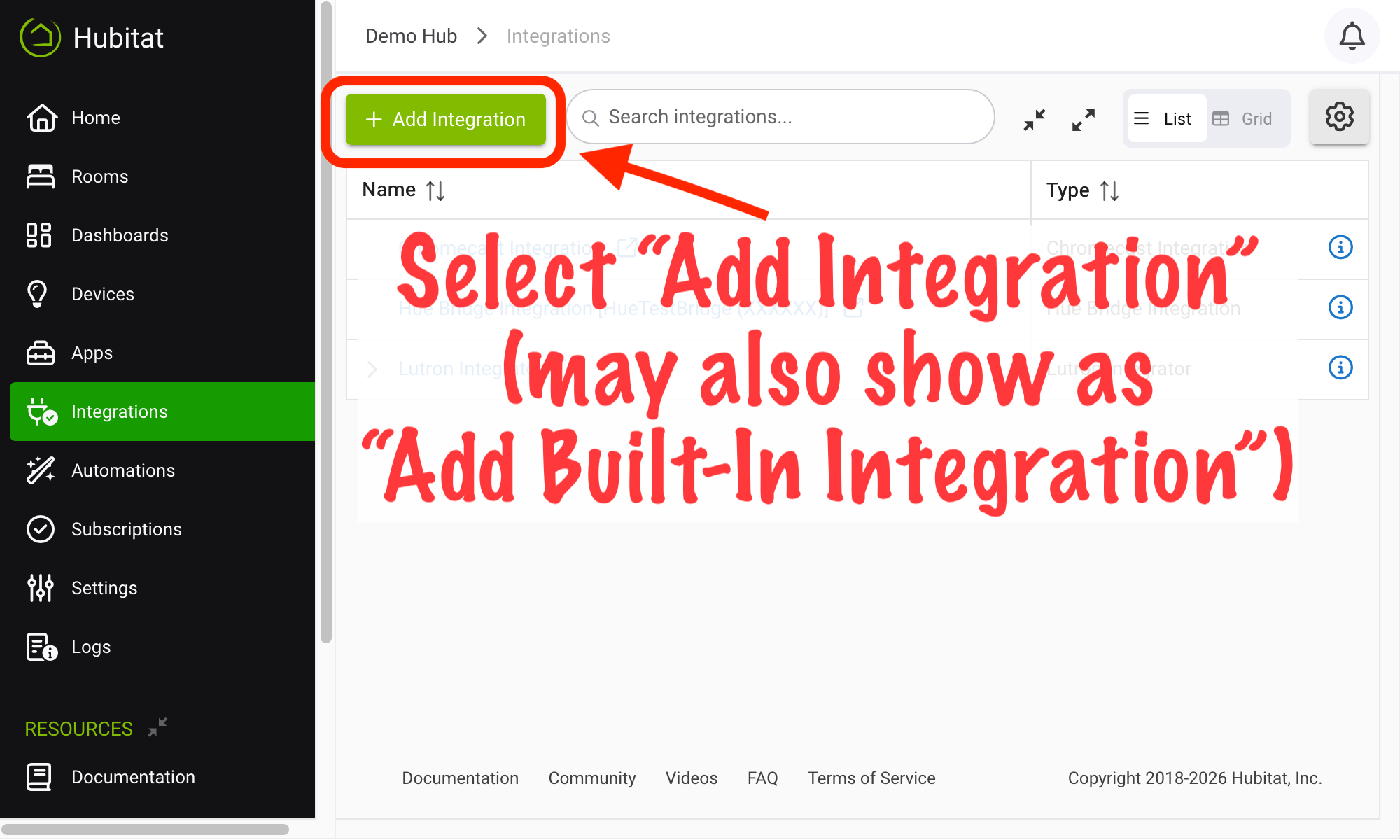
- From the sidebar of your hub, navigate to Integrations and select Add Integration or Add Built-In Integration:
- Select RTSP Camera Integration from the list of built-in integration apps.
Configuring RTSP Camera Integration
To add a camera, select Rerun discovery (to discover compatible devices on your network) or Add device manually (to add by IP address with other device-specific configuration). Discovery may take a few minutes. Reload the page after a few minutes to see updates results if you do not see your devices.
Compatible RTSP devices may be shown on an Easy Dashboard, on the home page of your hub (the web interface), or on the Rooms page (also in the web interface). Legacy Dashboard users may manually add an "Image" tile type and provide the "Image Url" attribute from the device in the "Image URL" option value on the tile. Note that:
- These streams will only show when viewing the local dashboard (there is no cloud relay functionality at the moment)
- Video streaming to dashboards is a somewhat intensive process for the hub, and we suggest limiting the number of cameras streaming at one time for this reason.
After adding an RTSP camera, you may need to visit its device detail page (click or tap the device name in the Action/Device column in the RTSP Camera Integration app for an easy way to directly go to this page for any camera you have added) and edit the username and password, if required for your RTSP stream, on the Preferences tab – as well as any other preferences you may wish to edit.