Visual Rules Builder
Create rules using a visual interface
Visual Rules Builder
Visual Rules Builder allows you to create simple or somewhat complex rules — actions to run in response to one or more trigger events, optionally with some condition to prevent triggering in certain cases.
Installing Visual Rules Builder
-
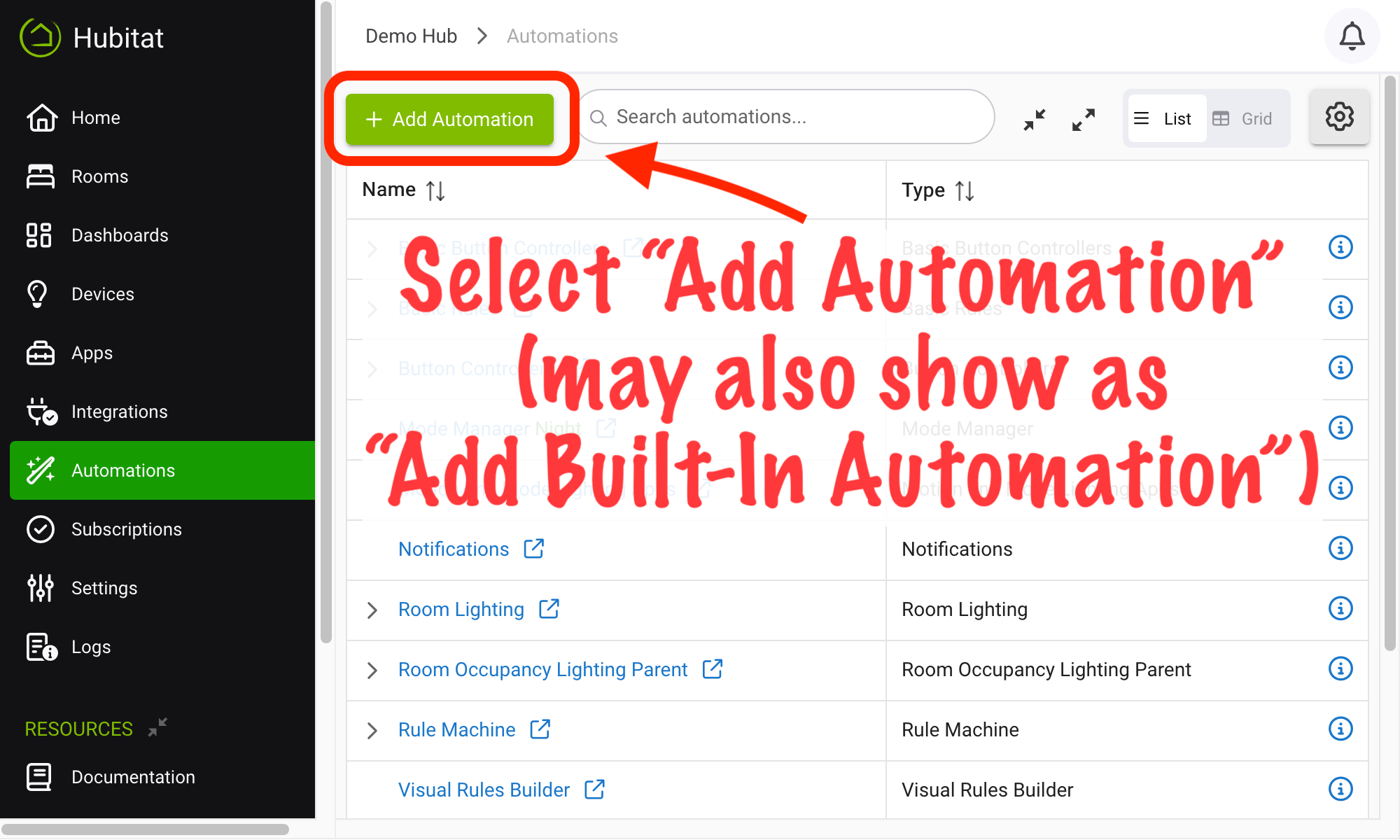
From the sidebar of your hub, navigate to Automations and select Add Automation or Add Built-In Automation:
-
Choose Visual Rules Builder from the list of built-in automation apps.
Creating a Visual Rule
-
Navigate to Apps and select Visual Rules Builder (install using the steps above if you have not already).
-
Select Build New Visual Rule.
-
Create a name for your rule in the Rule name box. (This is how the rule will appear in your Apps list, in Logs, and in other places. A descriptive name like "Front Porch Light Off in AM" may be helpful.)
Then, follow the prompts to create the rule. For example:
- Select Click to create or edit trigger to add "triggers" that specify events that will cause your actions to run.
- Select Click to add or edit action to add actions to run (e.g., turning on or off a switch, change mode, lock a door lock, etc.).
Tips:
- Select (click/tap) an existing trigger to edit the trigger or add another trigger or condition.
- Select (click/tap) an existing action to edit the action, add an action before or after.
Be sure to select Save or Save and close after creating or editing your rule.
Which rule app to use?
Visual Rule Builder is somewhat similar to Basic Rule, although the interface is different.
- Some users may prefer the primarily text-and-menu-driven interface of Basic Rule
- Others may prefer the visual flow presented by Visual Rule Builder.
- Simple Automation Rules is an older app originally geared towards lighting but usable for a variety of automations. (Long-time users of Hubitat may be used to this app and prefer it over others; if you made us pick, we might suggest Basic Rule or Visual Rule Builder for beginners.)
- Any of these apps can handle either simple automations or automations with some complexity, including "restrictions" or conditions that affect when the actions will run.
On the other hand, Rule Machine is the most powerful option, although it is more difficult to learn for many new users. We suggest starting with another option (depending on your preferences) and moving to Rule Machine if you discover a feature you need that is not offered by other apps.
Finally, note that there is also no reason to pick only one!